ChatGPT Is Not Working Today: The Real Reason Behind the Outage (And What Actually Fixes It)
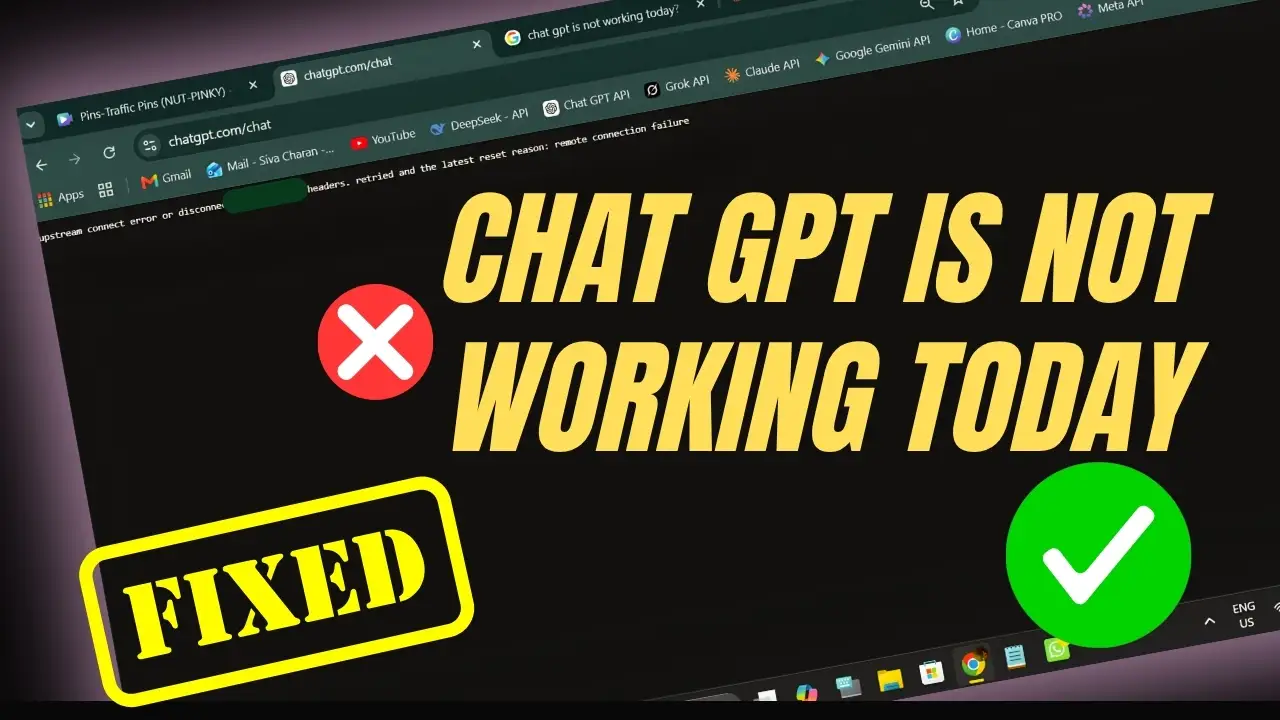
You open a new tab. You type your prompt. You hit enter. And instead of an answer, you get a wall of red text that looks like it was written by a server having a nervous breakdown: “upstream connect error or disconnect/reset before headers. retried and the latest reset reason: remote connection failure.” If you landed here searching ChatGPT is not working, you are not imagining it, you are not the only one, and you are definitely not doing anything wrong on your end. Every fresh wave of “ChatGPT is not working” searches today lines up almost exactly with the timestamps OpenAI’s own status components flipped red, which tells you this is a real, shared, ChatGPT service disruption today, not a coincidence.
Table of Contents
This is trending right now for a reason, and honestly, “ChatGPT is not working” has been one of the fastest-rising searches today. Thousands of people opened their laptops today expecting a normal working session and got stuck staring at a broken screen instead. So let’s actually break down what this upstream connect error ChatGPT message means, why ChatGPT is not working for so many people at once, and what you can genuinely do about it instead of refreshing the page fifty times like that’s going to summon a fix.
Why Is ChatGPT Down Right Now? The Honest Answer
Every time ChatGPT is not working, people assume it’s their Wi-Fi, their browser, their VPN, or some conspiracy about their account being flagged. Nine times out of ten, it’s none of that. When you ask why is ChatGPT down right now, the real answer is almost always sitting on OpenAI’s own infrastructure, not yours.
Here’s the blunt version. ChatGPT runs on a massive routing layer that sits between your request and the actual model doing the thinking. That routing layer, the “upstream,” is what breaks. When it breaks, you get exactly the error flooding timelines today. This isn’t a one-off. If you check the incident history, there’s a pattern of OpenAI server outage today style events happening on a near-weekly basis this month alone: login errors, file upload failures, model selection errors, and now this connection failure. It’s not rare. It’s just rarely explained in plain language.
“It says it’s investigating, then it says it’s resolved, then two hours later it’s broken again.” That’s basically the lived experience of anyone using ChatGPT during a bad week, and today is one of those weeks.
What the “ChatGPT Remote Connection Failure” Error Actually Means
Let’s decode this properly instead of throwing more jargon at you. The ChatGPT remote connection failure message is a proxy-level error. Your request reaches OpenAI’s edge servers just fine, but those servers can’t get a stable handshake with the backend that actually runs the model. Think of it like calling a restaurant, the phone rings, someone picks up, but the kitchen line is dead. The front desk (their servers) is up. The kitchen (the model backend) isn’t answering.
This is different from a simple “page not loading” issue. A ChatGPT server error fix for a slow page might just be clearing cache. A ChatGPT remote connection failure, on the other hand, has nothing to do with your device. No amount of clearing cookies fixes a backend that’s genuinely down.
| Symptom | What It Usually Means | Can You Fix It Yourself? |
|---|---|---|
| Blank white screen | Frontend asset failed to load | Sometimes, refresh helps |
| “Upstream connect error” | Backend routing failure | No, wait for OpenAI |
| “Conversation not found” | Session or cache mismatch | Sometimes, re-login helps |
| ChatGPT login not working | Auth service degraded | No, wait for OpenAI |
| Model selection stuck loading | Capacity or load balancing issue | No, wait for OpenAI |
Is OpenAI Down for Everyone, or Just You?
Before you assume it’s a local problem, always separate the two questions. First: is this ChatGPT down error today affecting the whole platform, or just your account? Second: is OpenAI down for everyone, meaning is this global, or is it region-specific?
Here’s how to actually check instead of guessing:
- Check the official OpenAI status page directly. This is the single most reliable source because it comes straight from OpenAI, not a third party guessing based on user complaints.
- Cross-check with an independent monitor. Services like UptimeRobot’s ChatGPT tracker test the site from outside OpenAI’s own infrastructure, which matters because a company’s own status page can lag behind what’s actually happening.
- Look at real-time user reports. News outlets have already reported thousands of complaints piling up on Downdetector during today’s incident, which tells you this isn’t a “just you” situation.
- Scan a long-running incident archive. StatusGator’s OpenAI history shows this kind of disruption isn’t a one-time fluke, it’s a recurring pattern worth planning around.
- Try a different network. If ChatGPT loads on mobile data but not your home Wi-Fi, that’s a signal worth ruling out before blaming OpenAI entirely.
If you want a deeper technical read on how these routing failures actually cascade, we broke down a similar incident in our honest review of ChatGPT 5.2 after real daily usage, where reliability, not just intelligence, was a big part of what we tested.
How to Check If ChatGPT Is Down (Without Guessing)
If you’re wondering how to check if ChatGPT is down without wasting fifteen minutes refreshing a broken tab, here’s the actual sequence to follow:
- Open the OpenAI status page in a new tab.
- Search “is ChatGPT down” and scan the top three independent trackers, not just the first result.
- Check whether the error is specific to you (a single error page) or platform-wide (multiple components flagged red).
- If it’s platform-wide, stop troubleshooting your own device. There is nothing to fix on your end.
This matters because most people burn twenty minutes trying random fixes for a ChatGPT server error fix that was never a local problem to begin with.
ChatGPT Not Loading Fix: What Actually Helps (And What’s a Waste of Time)
Let’s be real about which fixes work and which ones are just internet folklore that gets repeated because it sounds official.
Things that sometimes help:
- Hard refresh (Ctrl+Shift+R) if it’s a frontend caching issue, not a backend one.
- Logging out and back in if you’re getting stuck on “conversation not found” rather than a hard connection error.
- Switching networks briefly to rule out ISP-level blocking, which NordVPN’s own outage tracker explains can sometimes mimic a full platform outage.
Things that do nothing when it’s a real backend failure:
- Clearing your entire browser history.
- Reinstalling the app.
- Restarting your router fifteen times.
If ChatGPT keeps disconnecting specifically mid-conversation rather than failing to load at all, that’s usually a session timeout or load-balancing hiccup on their end, not a ChatGPT not loading fix situation at all. Different symptom, different cause, and no browser trick changes that.
ChatGPT Login Not Working? Here’s the Real Difference
A lot of people conflate two separate problems. ChatGPT login not working is an authentication service issue, meaning the door itself is locked. A full ChatGPT service disruption today where the whole platform throws upstream errors is a completely different failure, further down the pipeline, after you’re already inside. Knowing which one you’re facing tells you whether waiting five minutes will help or whether you’re in for a longer wait.
What This ChatGPT Outage Today Reason Tells Us About Depending on One Tool
Here’s the part most people skip past. The actual ChatGPT outage today reason, an upstream routing failure, isn’t rare, isn’t shocking, and isn’t going away. If your business, your content pipeline, or your daily workflow leans on a single AI tool with zero backup plan, today is your reminder that single points of failure are a business risk, not just an inconvenience.
This is exactly why we’ve written before about building AI workflows that don’t collapse the moment one provider has a bad day. If you’re automating content or customer replies, our breakdown of free AI social media automation that isn’t locked to one provider covers exactly this kind of resilience. And if you’re weighing model choice more broadly, our comparison in Claude versus ChatGPT for serious, high-context work is worth a read before you put all your eggs in one basket again.
ChatGPT Alternative When Down: What to Actually Switch To
You don’t need to abandon ChatGPT permanently, but knowing a ChatGPT alternative when down saves you real time during an active incident. A genuinely reliable AI tool during outage windows is one that runs on separate infrastructure entirely, so when one provider’s routing layer melts, you’re not stuck.
- For reasoning-heavy or long-context work, Claude runs on entirely separate infrastructure from OpenAI, so it stays available during ChatGPT-specific incidents. We go deeper on this in our piece on why slower, deliberate AI reasoning often outperforms speed-focused tools.
- For multimodal tasks like quick research or media generation, Gemini is a solid stopgap, and we’ve shown practical use cases in our guide on using Gemini for everyday tasks beyond just chat.
- For automation that shouldn’t depend on any single chatbot, check our full library of AI agent and automation templates built to be provider-agnostic from day one.
- If you’re running client work or a business process through AI, our social media content automation template was built with fallback logic in mind, precisely for days like today.
The point isn’t brand loyalty. It’s not getting stuck the next time this happens, because it will happen again.
ChatGPT Error Message Meaning: A Quick Reference
Since so many people are searching the exact error text, here’s a plain reference so you’re not left guessing what any given ChatGPT error message meaning actually points to:
- “Upstream connect error, disconnect/reset before headers”: backend routing failure, wait it out.
- “Conversation not found”: session or cache mismatch, try re-login.
- “Selected model is at capacity”: load-balancing issue, try a different model or wait a few minutes.
- “Something went wrong”: generic catch-all, check the status page before assuming it’s you.
FAQ: What to Do When ChatGPT Crashes
Is OpenAI down for everyone right now?
Check the official status page first. If multiple components show red and independent trackers confirm it, then yes, it’s widespread and not isolated to your account.
Why is ChatGPT down right now specifically with this connection error?
Because the routing layer between OpenAI’s edge servers and the model backend lost its handshake. It’s a backend problem, not a device problem.
What to do when ChatGPT crashes mid-task?
Save your work elsewhere if possible, check the status page, and switch to a backup tool if the outage looks platform-wide rather than momentary.
How long does a typical ChatGPT service disruption today last?
Past incidents have ranged from a few minutes to several hours depending on whether it’s a routing glitch or a deeper infrastructure failure. Either way, a real ChatGPT service disruption today shows up across multiple independent trackers, not just your one screen.
Is there a quick ChatGPT server error fix I can try myself?
Not really, when it’s a backend issue. A ChatGPT server error fix only helps for local caching problems, not for a genuine OpenAI server outage today.
What’s a good ChatGPT not loading fix if the page just won’t open?
Try a hard refresh once. If that ChatGPT not loading fix doesn’t work within a minute, the problem is on OpenAI’s end, not yours.
What’s the real ChatGPT outage today reason behind this specific error?
A broken handshake between OpenAI’s edge servers and its model backend. That’s the honest ChatGPT outage today reason, not anything to do with your device.
Any decent ChatGPT alternative when down that I can switch to immediately?
Yes. Keep a second AI tool bookmarked so you’re never stuck. That’s the whole point of having a ChatGPT alternative when down ready to go.
Where can I find the exact ChatGPT error message meaning for less common errors?
Cross-reference it against OpenAI’s incident history. Most ChatGPT error message meaning explanations map directly to known routing or capacity issues.
If you’d rather read a broader take on where ChatGPT still wins despite days like today, our real-usage review of ChatGPT 5.1 vs 5.2 covers that honestly too.
Fix ChatGPT Connection Error: The Full Checklist
If you’re hunting for a step-by-step way to fix ChatGPT connection error messages instead of guessing at random fixes, run through this in order:
- Check the OpenAI status page down components list first. This tells you in ten seconds whether it’s platform-wide or local.
- If the status page shows red, stop trying to fix ChatGPT connection error issues on your device. There’s nothing broken on your end to fix.
- If ChatGPT keeps disconnecting mid-session but loads fine otherwise, that’s a session or load-balancing hiccup, not a hard upstream connect error ChatGPT failure.
- If the exact upstream connect error ChatGPT message shows up repeatedly across refreshes, that confirms an OpenAI server outage today, and no local fix will touch it.
- Keep a reliable AI tool during outage windows on standby so a single OpenAI server outage today doesn’t fully stall your work.
Bookmark the OpenAI status page down tracker now, before the next incident, not during one. It’s the single fastest way to confirm is OpenAI down for everyone without relying on rumors trending online.
And if this outage has you rethinking how much manual work you do around AI tools in general, our full automation template library is a good place to start building redundancy, along with our 6-platform content automation guide if client work is on the line.
One More Thing Before You Refresh Again
Let’s recap plainly, because if you searched ChatGPT is not working today, you deserve a straight answer, not more jargon. This is a real, platform-wide ChatGPT down error today event, not a glitch specific to your account. The moment you see this exact ChatGPT down error today message pop up, stop blaming your Wi-Fi.
If you’re still asking why is ChatGPT down right now, it comes back to the same broken handshake we covered earlier: the ChatGPT remote connection failure sitting between the edge server and the model. Nothing you do locally fixes that.
Here’s a fast checklist for how to check if ChatGPT is down without wasting time: open the status page, cross-check an independent tracker, and confirm before you troubleshoot anything else. Do this every single time, because knowing how to check if ChatGPT is down in under a minute saves you an hour of pointless fixes.
If ChatGPT keeps disconnecting on you specifically during long sessions, and it’s not a one-off, that’s usually tied to whatever is driving today’s incident, not a fresh unrelated problem. Watch whether ChatGPT keeps disconnecting continues after the main outage clears. If it does, that’s worth reporting separately.
And if you’re building anything that depends on AI daily, whether it’s content, code, or client work, this is your cue to line up a reliable AI tool during outage windows before you need it, not while you’re mid-panic. A second reliable AI tool during outage moment isn’t overkill, it’s just planning.
Finally, bookmark the OpenAI status page down tracker properly this time. Not as a mental note, an actual bookmark. The OpenAI status page down list is the fastest, least dramatic way to confirm ChatGPT login not working or any other component failure the second it happens again.
The Bottom Line
ChatGPT is not working for a huge number of people today, and no, it’s not your internet, your account, or bad luck. Every time ChatGPT is not working like this, the honest cause is almost always an upstream connect error ChatGPT users didn’t create and can’t personally fix ChatGPT connection error issues without OpenAI’s own systems recovering first. Check the status page, don’t waste time on fixes that only work for frontend glitches, and know what to do when ChatGPT crashes before it happens again: confirm it’s platform-wide, switch to a backup tool, and wait it out. The next time ChatGPT is not working, you’ll already know what to do when ChatGPT crashes instead of panicking, and that’s really the whole point of reading this far. If you ever get hit with a second ChatGPT down error today notice in the same week, that’s your sign this isn’t bad luck, it’s just how the platform behaves right now.